Work Automation
After the sale, the work has to move.
We find the recurring work inside your firm — then build custom workflows that do it, so your team’s week goes to the work that actually needs them.
Operations covers everything after you win the job — the work, the admin, the follow-through. Getting the job is Lead Recovery.
The Service
What we take over.
Every build is custom. We sit with how the work actually happens in your firm, find the tasks that qualify, and build workflows that do them. The test is simple: if it repeats and follows rules, it can run without your team.
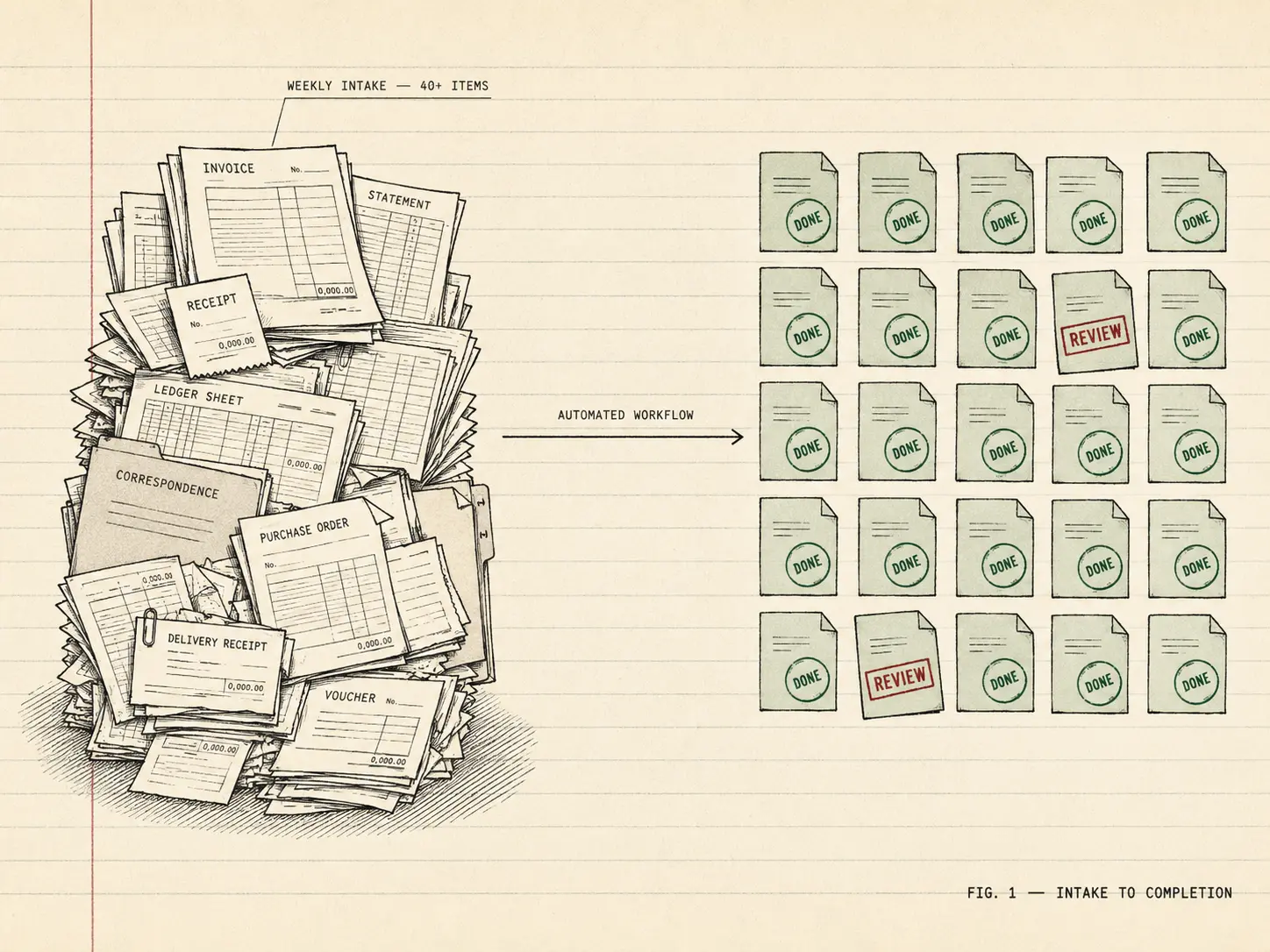
- Reconciliations, matched
Transactions matched and exceptions flagged, so month-end is approving what's left — not hunting line by line.
- Reports, compiled
The P&L, the status update, the weekly numbers — pulled together and delivered on schedule, every time.
- Documents, filed
Invoices, receipts, and paperwork read, renamed, and filed where they belong the day they arrive.
- Data, moved
The re-typing between systems ends. Entered once, correct everywhere it needs to be.
- Intake, completed
New client paperwork collected, checked for gaps, and chased until the file is complete.
- The weekly pile, handled
Whatever builds up in your shop by Friday — diagnosed in the audit, then built into a workflow that clears it.
Fragmented
Manual operations. Disconnected.
Scattered tools, duplicate work, and missing context slow everything down.
- Duplicate Spreadsheets
The same numbers re-keyed across files that never quite agree.
- Missed Handoffs
Work stalls in an inbox because no one owns the next step.
- Manual Re-entry
Hours lost copying data between tools that don't talk to each other.
High effort. Low visibility. Too many touchpoints.
Introducing
The AK Operations Layer. Everything starts to connect.
One system takes over the sorting, routing, and chasing your team does by hand.
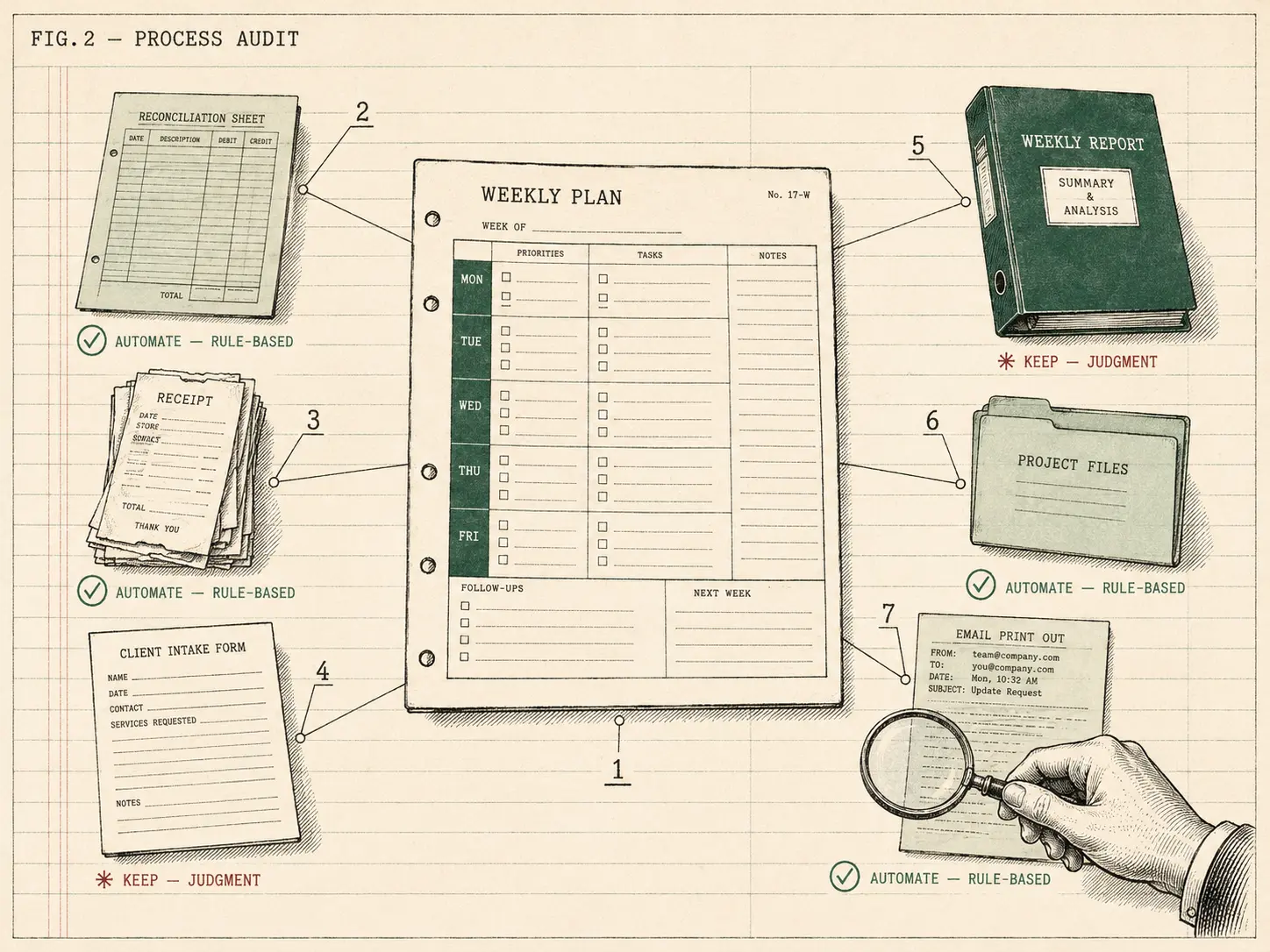
Inputs flow in. Context is applied. Systems align.
Transforming
From manual to structured. One object at a time.
The work your team re-types, re-files, and follows up on becomes structured records and running workflows — done without them.
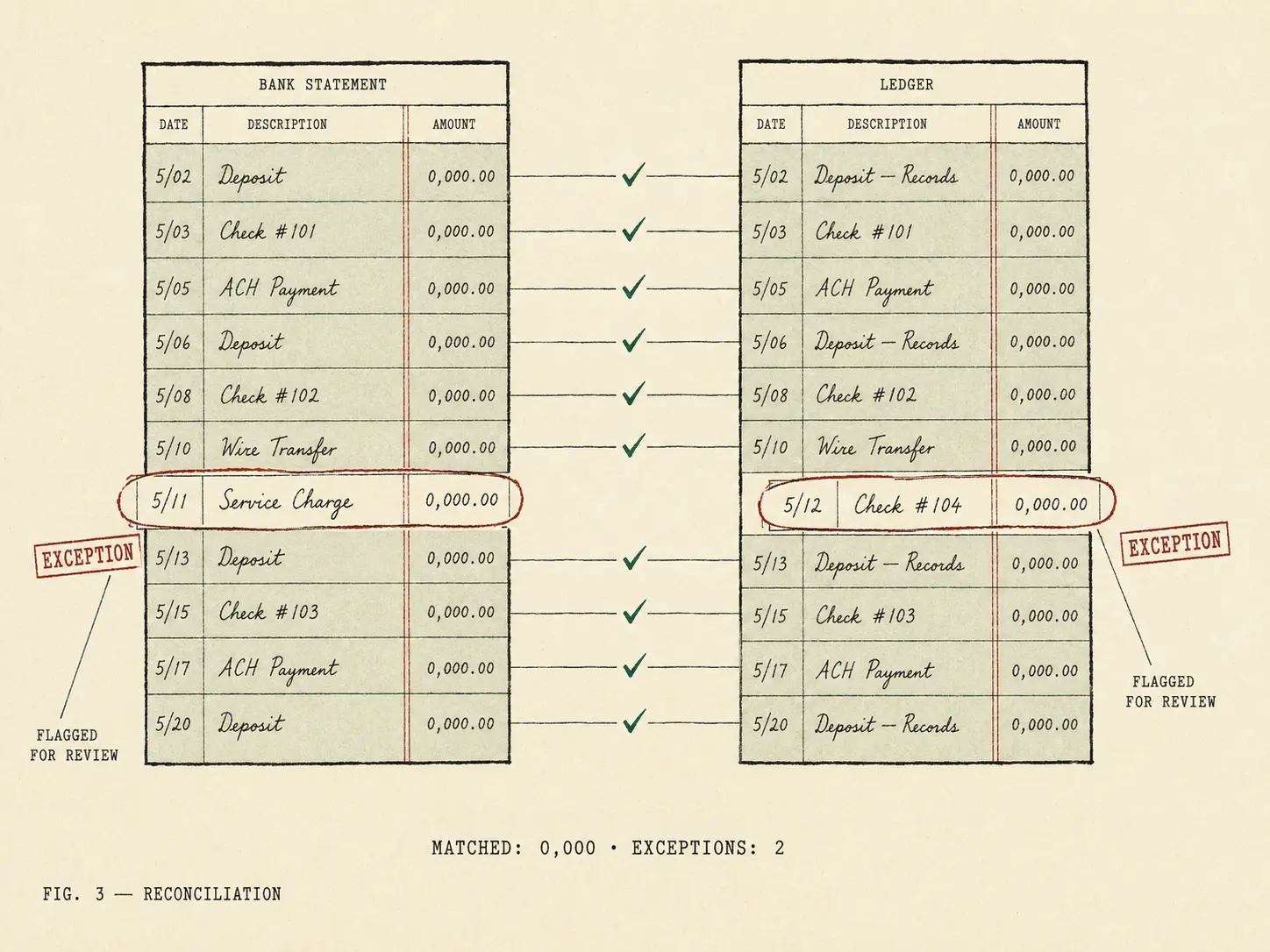
Data is structured. Work is routed. People stay in control.
Organizing
Work moves forward. Nothing slips.
Information flows to the right systems. Workflows become visible and reliable.
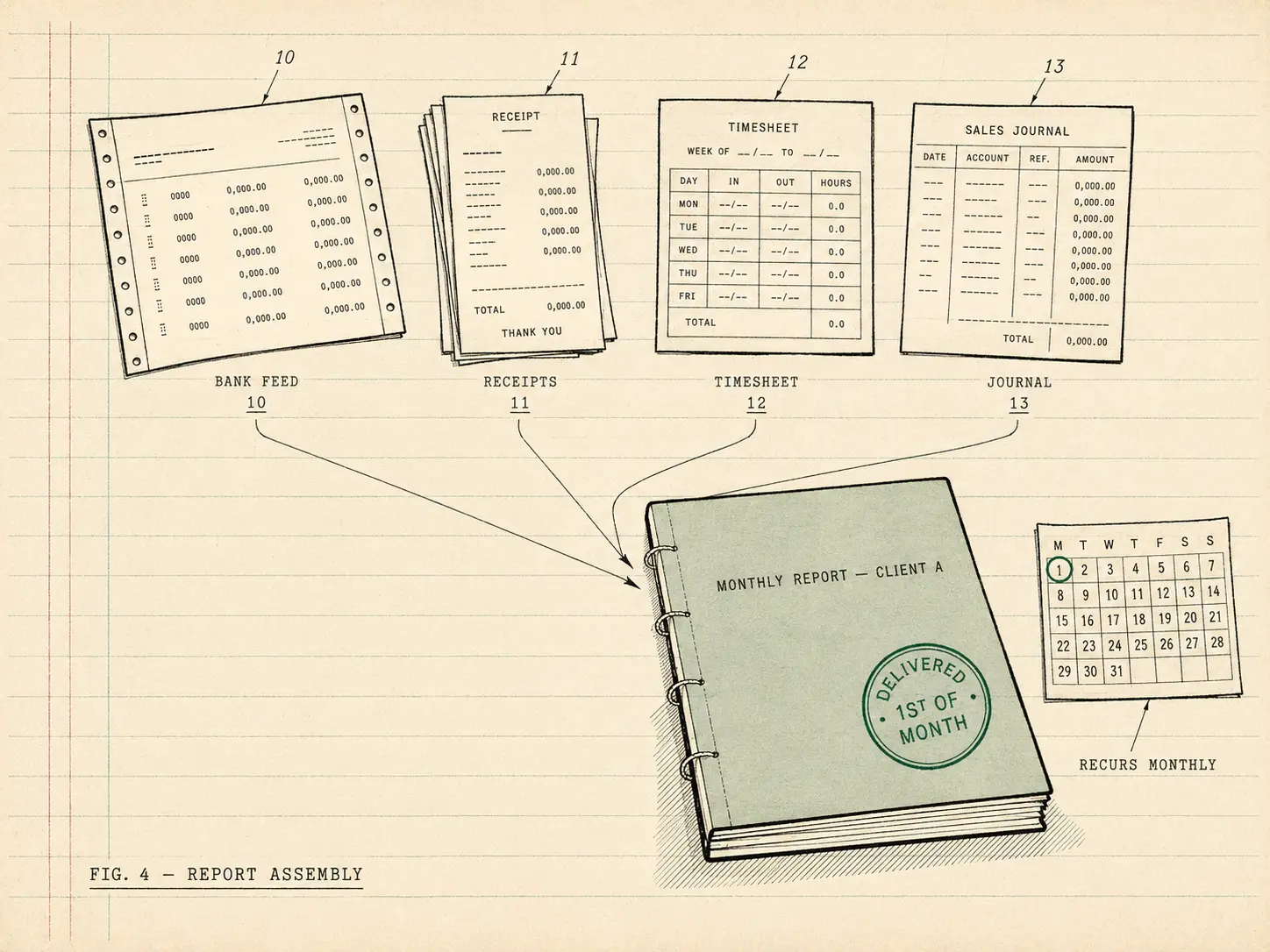
Workflows are visible. Handoffs are clean. Nothing slips.
Connected
Your connected operating system.
One source of truth. Clear workflows. Better decisions.
A connected system. Confident operations. Run for you.